


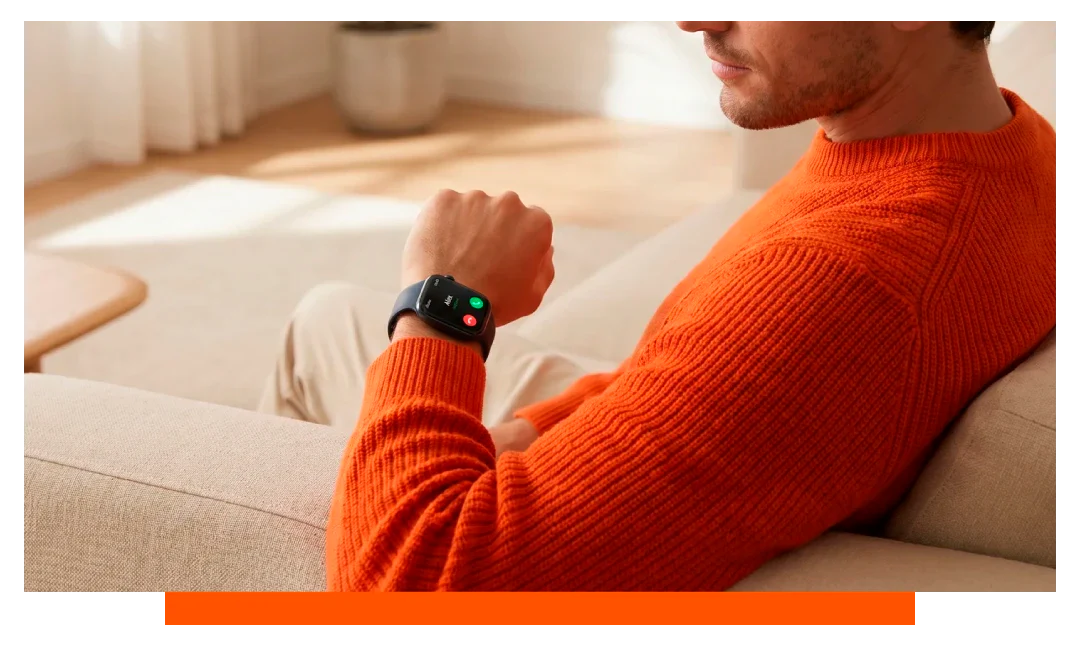
Yes - if your smartwatch has LTE or eSIM with an active plan, you can make and receive calls without your phone. Apple Watch 11 GPS + Cellular and Samsung Galaxy Watch 8 LTE both support true standalone calling. Without LTE, most watches need your paired phone nearby or online via Wi-Fi.
What does standalone calling mean?
Standalone calling means your watch can place and receive voice calls directly over a mobile network. This requires a cellular radio, an eSIM or SIM profile, and a supported carrier plan. When set up, you can leave your phone at home and still call from your wrist.
Many watches also support Bluetooth calling, which only routes audio through the watch while your phone does the real dialing. That is not standalone calling because the phone must be connected and in range. Wi-Fi calling without a phone is limited and often not supported on non-cellular models.
Which smartwatches have standalone calling?
Apple Watch 11 GPS + Cellular
The Apple Watch 11 with GPS + Cellular uses eSIM to mirror or share your iPhone number on carriers that support Apple Watch plans. In supported regions, setup takes minutes through the Watch app. Typical voice talk time over LTE ranges about 1.5 to 3 hours depending on coverage and settings.
It supports VoLTE for clearer audio and can handle calls, texts, and data without your phone present. You can also place emergency calls and share your location where supported. Battery drain is higher on LTE, so power management matters on long days.
Samsung Galaxy Watch 8 LTE
The Samsung Galaxy Watch 8 LTE offers eSIM-based calling on major carriers with Number Share or similar services. You can make and receive calls independently from your phone once LTE is activated. Expected voice talk time over LTE is commonly around 2 to 3 hours, varying by signal and features enabled.
Paired with a Galaxy phone, call features like VoLTE and Wi-Fi Calling can integrate smoothly. On-carrier support is essential for activation and correct number provisioning. LTE data and call quality improve with strong 4G networks and modern codecs.
What about Garmin?
Most Garmin smartwatches do not offer true standalone voice calling. The Forerunner 945 LTE, for example, focuses on incident detection and assistance messaging using LTE data rather than voice calls. If calling from the wrist is critical, Garmin is usually not the best fit.
How to call from smartwatch without phone?
To call without your phone nearby, your watch needs cellular hardware and an active plan. The plan usually shares your primary number through eSIM provisioning. Once active, you can dial from the watch app or your contacts, just like a phone.
You will need
- LTE-capable smartwatch
- eSIM-supported carrier
- Active smartwatch plan
- Good 4G coverage
- VoLTE enabled
Set up on Apple Watch
Open the Watch app on iPhone, go to Mobile Data, then follow your carrier prompts to add a plan. Confirm the number share is active and make a test call with Bluetooth off to ensure LTE routing. If Wi-Fi Calling is available, enable it for indoor reliability.
Set up on Samsung Galaxy Watch
Open the Galaxy Wearable app, select Mobile plans or Watch mobile services, and activate eSIM with your carrier. Complete identity and QR code steps if required, then test a call in LTE mode. On compatible carriers, Number Share links your phone number automatically.
Coverage, battery, and limits
Signal strength drives call quality, drop rates, and battery drain. In areas with 4G bands your watch supports, expect stable VoLTE and fewer drops. Weak indoor coverage and frequent handoffs can double power use and shorten talk time.
Battery life in mixed use on modern LTE watches typically ranges 18 to 36 hours with moderate calling. Long voice calls are power heavy compared to notifications or GPS-only tracking. Using a Bluetooth headset can improve comfort and sometimes battery efficiency.
Table: standalone calling at a glance
| Model | LTE | eSIM support | Standalone calls | Est. talk time | Est. battery |
|---|---|---|---|---|---|
| Apple Watch 11 GPS + Cellular | Yes | Yes | Yes | 1.5 to 3 hours | 18 to 36 hours |
| Samsung Galaxy Watch 8 LTE | Yes | Yes | Yes | 2 to 3 hours | 24 to 40 hours |
| Garmin Forerunner 945 LTE | Yes | Yes | No voice - data only | N-A | Up to several days |
Costs and carriers
Carriers typically charge an add-on fee of about 5 to 10 per month for a smartwatch plan. Some promotions waive fees for 3 to 12 months. International roaming may cost extra or be unsupported on watch plans, so check before traveling.
eSIM compatibility varies by region and carrier model. Always verify your exact watch variant and carrier list before purchase. If you switch phones, your watch line usually remains active without re-provisioning.
Audio quality and call features
Modern watches use VoLTE wideband audio for clearer speech where available. Dual microphones, beamforming, and noise reduction help in wind or traffic. A quiet environment still improves intelligibility more than any algorithm.
You can pair Bluetooth earbuds for better privacy and comfort. Side buttons or crowns let you mute, switch audio, or end calls quickly. Voicemail access and caller ID behave like on your phone number when number sharing is active.
For comfort and style, explore Apple straps and Apple accessories that suit all-day wear.
Troubleshooting standalone calls
If calls fail, check signal, plan status, and VoLTE settings. Reboot the watch and sign in to your account services again. Confirm your carrier supports the specific watch model and region.
Quick fixes
- Toggle Airplane Mode
- Reset network settings
- Reinstall carrier profile
- Update watch firmware
- Test with Wi-Fi off
Frequently asked questions
Can I receive calls without my phone?
Yes, if your watch has LTE and an active plan on a supported carrier. The call will ring your watch even with the phone powered off. If your watch is Wi-Fi only, your phone must usually be online and configured for call forwarding features.
Do I need the same carrier as my phone?
Most number sharing setups require the same carrier for phone and watch. Some regions allow standalone watch lines, but integration can be limited. Using the same provider simplifies voicemail, caller ID, and billing.
Do WhatsApp or VoIP apps work over LTE?
Many VoIP apps require companion-phone connectivity for notifications and call routing. On Apple Watch, third-party voice apps are restricted compared to iPhone. On Galaxy Watch, some VoIP apps can notify, but full calling varies by app policy.
Will emergency calling work without my phone?
On Apple Watch 11 Cellular and Galaxy Watch 8 LTE, emergency calling works on LTE where supported. Location sharing and fallback behaviors depend on carrier and region. Always test non-emergency features and read local guidelines first.
How much battery does a call use?
Expect about 1.5 to 3 hours of continuous LTE talk time on recent models. Short calls and strong signal reduce drain. Streaming music plus calls can cut endurance further.
Can I roam internationally with my watch line?
International roaming on smartwatch lines is limited. Some carriers block roaming or require special plans. Check country support lists and roaming rates before travel.
Does Bluetooth calling count as standalone?
No, Bluetooth calling relies on your nearby phone for the actual call. It only turns your watch into a speaker and mic. Standalone calling requires LTE and an active plan.
Conclusion
Yes, you can make calls from your smartwatch without a phone if you choose an LTE or eSIM model and activate a compatible plan. Apple Watch 11 GPS + Cellular and Samsung Galaxy Watch 8 LTE both deliver true standalone calling for everyday use. Verify carrier support, manage battery, and enjoy leaving your phone behind when you want.




Leave a comment
All comments are moderated before being published.
This site is protected by hCaptcha and the hCaptcha Privacy Policy and Terms of Service apply.